
Introducing Integrated Lab Designer: Plan Your Lab Layout for Free

James Cox
Project Manager
Estimated reading time: 4 minutes
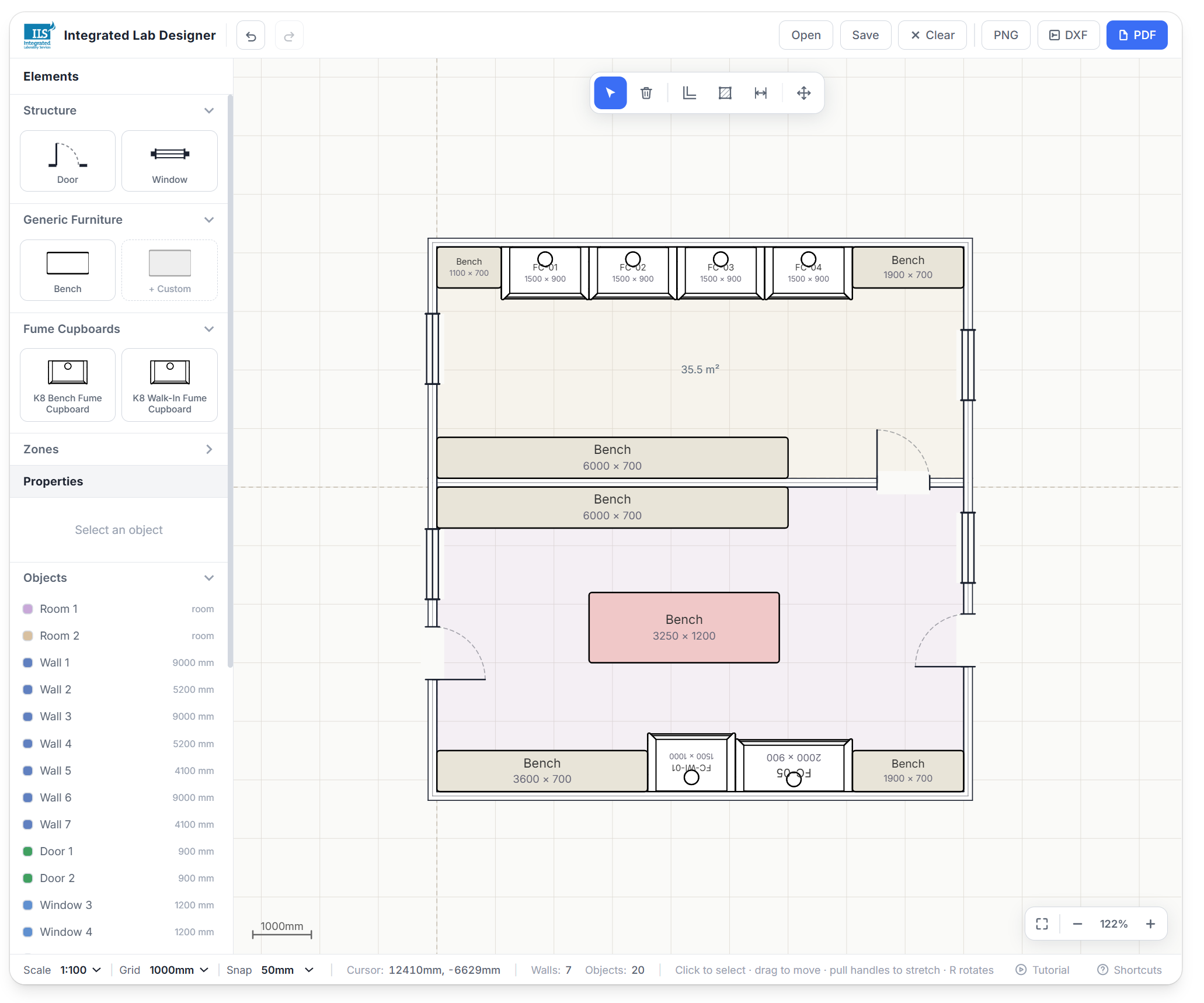
Planning a lab layout usually means one of two things: a rough sketch on graph paper that never quite agrees with the room's actual dimensions, or waiting on a consultant or supplier to turn a brief into a drawing. Neither is much good when you just want to try a few arrangements and see what fits. That's the gap Integrated Lab Designer is built to close: a free, browser-based tool that lets you lay out a lab to real scale yourself, with the domain knowledge that a generic drawing package doesn't have baked in.
Why we built it
Getting a fume cupboard layout right on paper is harder than it looks. Clearances from walls, benches and doors matter, hazard zones need to be kept apart, and door and window swings eat into space that looks free on a simple floor plan. Most people working this out do it long before they're ready to talk to anyone about a quotation, and they shouldn't have to install anything or hand over their details just to try it. So we built a tool that runs entirely in the browser, draws in real millimetres, and understands the geometry of a working lab rather than just walls and rectangles.
What it does
True-to-scale drawing
External and internal walls with mitred corners, doors and windows with real swing geometry, and room polygons with live area readouts as you draw.
Real plan symbols
Benching, K8 bench and walk-in fume cupboards are dragged from a palette as accurate plan symbols taken from our own drawings, alongside user-defined custom items.
Hazard zones
Mark out COSHH, LEV, hazardous and clean zones directly on the plan, so storage and equipment placement can be checked against them at the design stage.
Live clearance dimensioning
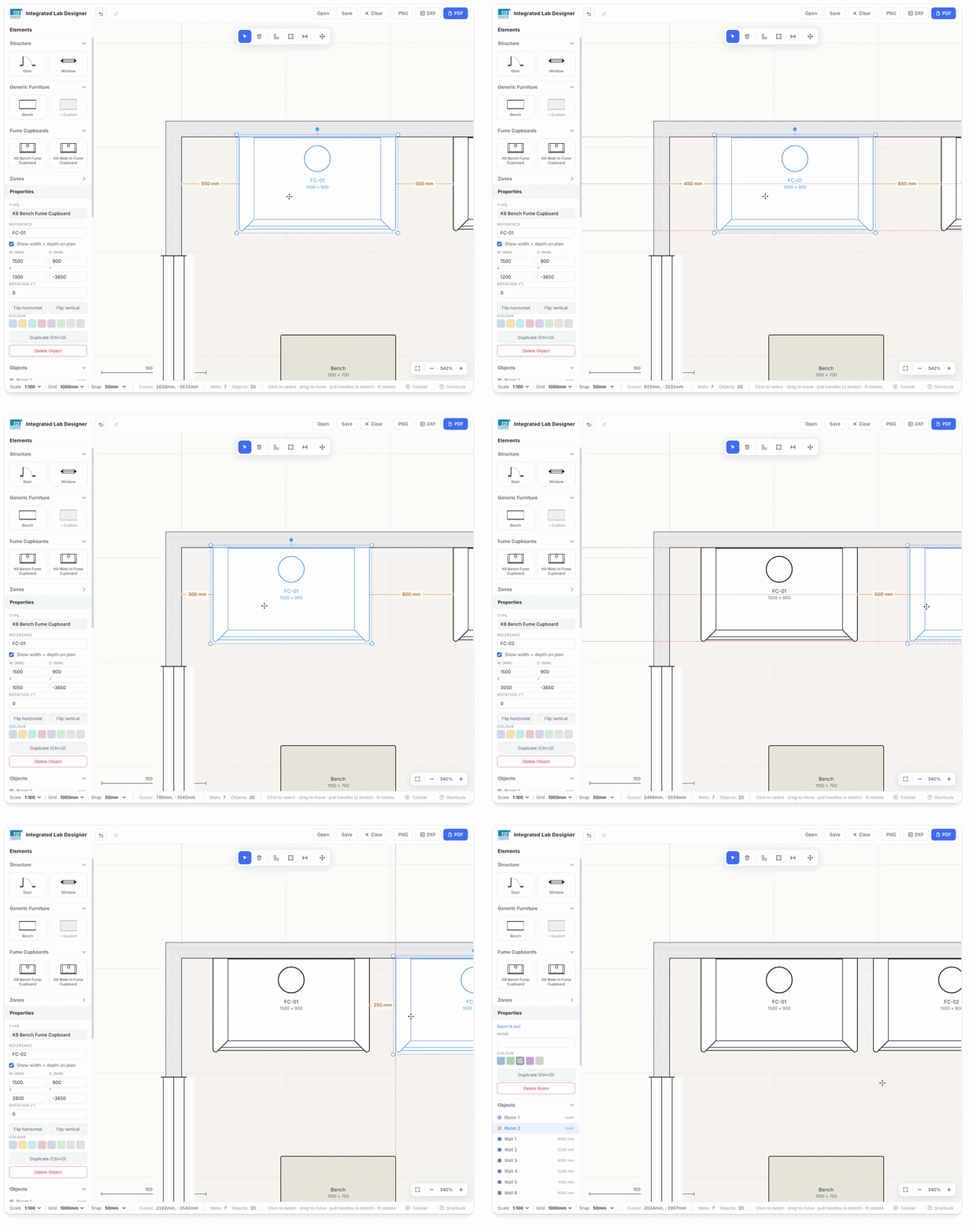
Bring a fume cupboard within a metre of a wall, bench or door and the gap is dimensioned automatically off its back and side faces. It's the kind of check a generic drawing tool simply doesn't know to make.
Scale, grid and snap
Work at 1:50, 1:100 or 1:200 with a 500, 1000 or 2000mm grid and snap down to 50mm, so wall runs start cleanly on grid intersections every time.
Autosave and undo
Fifty levels of undo, copy, paste and duplicate, keyboard shortcuts throughout, autosave to the browser with a restore prompt, and proper save and open as an .ils file.
A first-run tutorial walks through grid and snap, drawing and exporting, with options to skip it or turn it off, and it can be replayed at any time from the status bar if you want a refresher.
Getting your drawing out
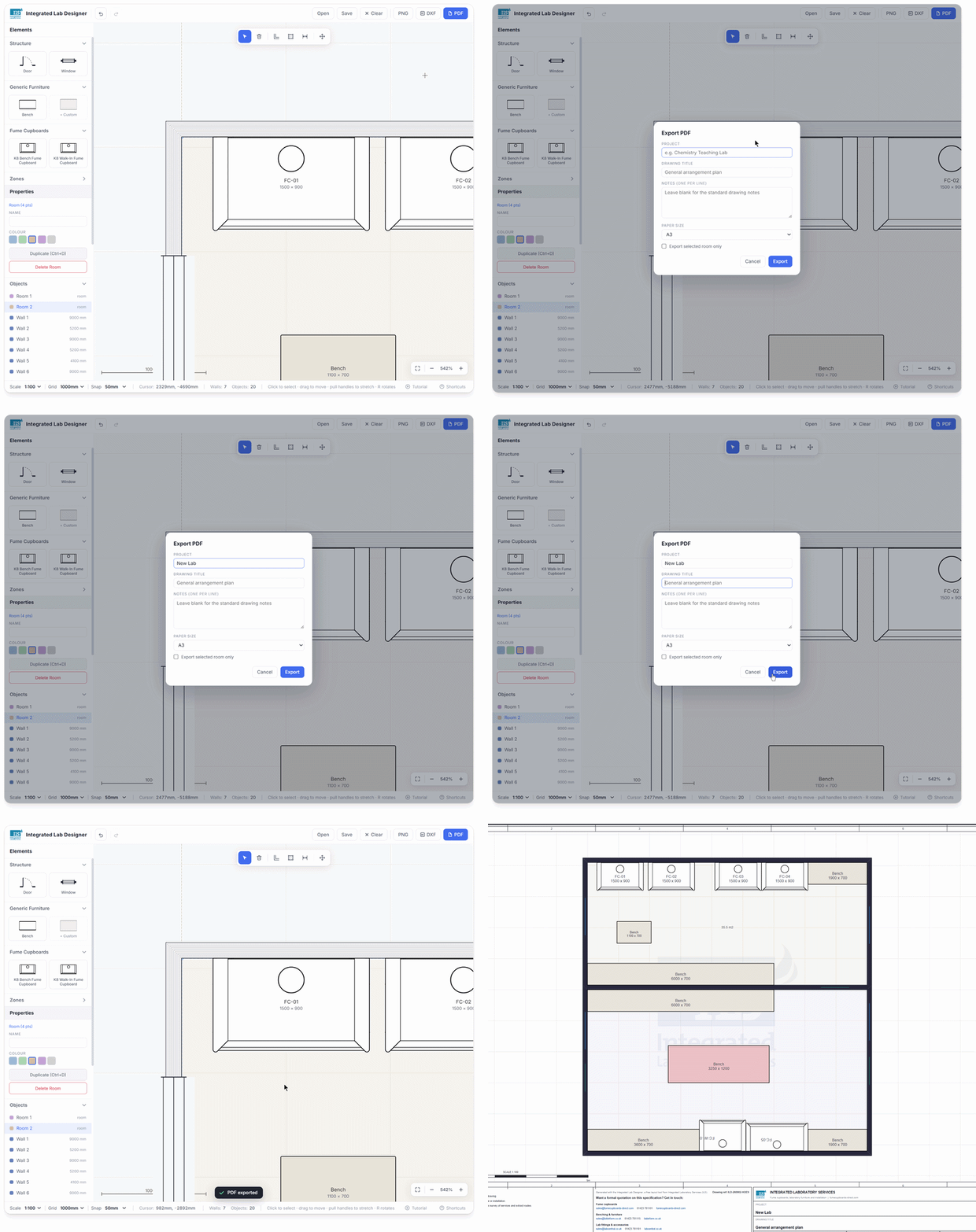
Once the layout is done, you can export it in three formats:
| Format | What you get |
|---|---|
| PDF (A4, A3 or A1) | A proper drawing sheet: ruled frame, zone references, scale bar, notes panel and a title block with project, drawing title, date, scale and size. |
| DXF | Ten named layers with geometry kept separate from annotation, opening cleanly in AutoCAD, LibreCAD and FreeCAD. |
| PNG | A quick image for dropping into an email or a report. |
Every exported sheet carries a unique drawing reference (in the form ILD-260902-EVVD) that stays the same across re-exports and is saved with the file. If you'd like a formal quotation on the layout down the line, you can simply quote that reference back to us, or to whichever trade you need: fume cupboards, Tableform benching or Labcentral fittings all appear on the sheet with clickable emails, websites and phone numbers.
No account, no sign-up, nothing of yours collected
- No login and no lead form: the tool opens straight into a blank plan. There's nothing to fill in before you can start drawing.
- No backend: the whole tool is one self-contained file that runs in your browser. Your plan, your autosave and your .ils files stay on your own machine, not on our server.
- No follow-up calls: the only contact details on the drawing are ours, printed on the sheet so you know who to speak to if and when you want to. Nothing you draw gets sent to us unless you choose to send it yourself.
In short: come and plan your lab, take as long as you like, export as many versions as you want, and walk away with nothing more than a drawing on your own computer. If it turns into a project you'd like our help with, the reference number on the sheet is there when you're ready, not before.
Try Integrated Lab Designer
Free, no account needed. Start sketching your lab to scale in the browser right now.